
絕了!
X 上一老哥把自家電視的亞馬遜商品頁截了個圖,隨手丟給 Claude Code,就問了一句:
你能黑了這玩意兒嗎?

您猜怎麼著?
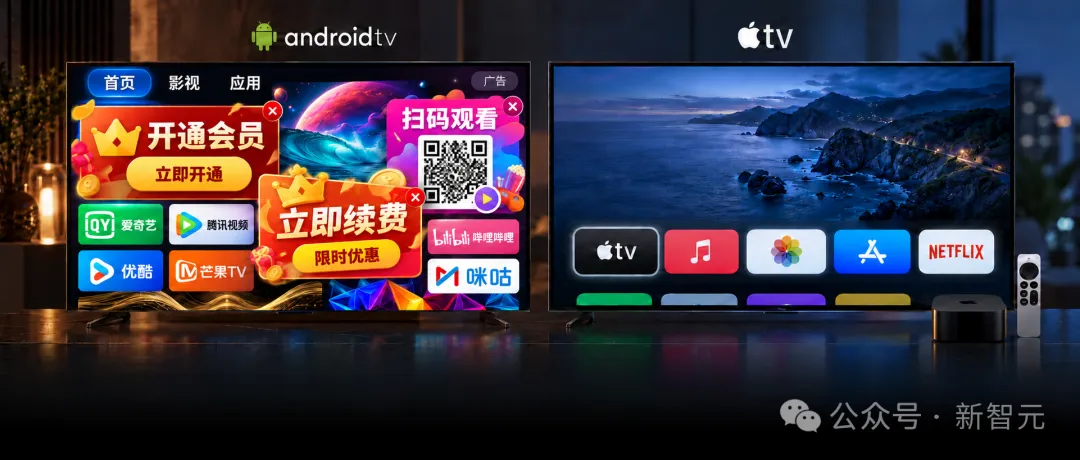
當天這台電視裡的廣告、預裝的流氓軟體、卡得像幻燈片一樣的介面全給干沒了,老哥還順手把螢幕保護換成了自己公司的即時進帳看板。
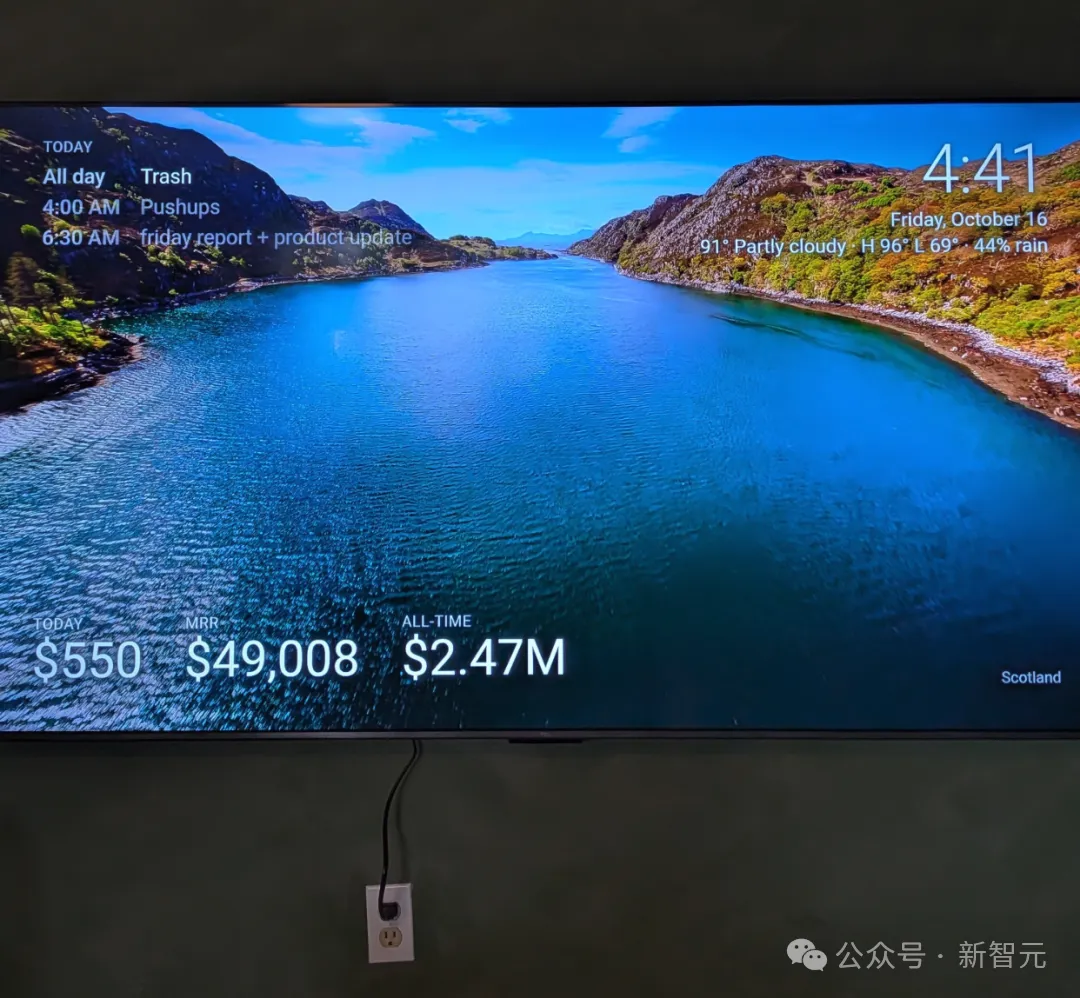

推文才發出去一天多,直接飆到 200 多萬瀏覽,評論區一堆人照著抄作業,完了紛紛回來還願,說自家的智能電視現在「快得像閃電」。

甚至有網友更近一步,爆改物聯網協議,直接讓電視即時控制全部智能家電。


「駭客」其實啥也沒黑
但說穿了,這老哥在技術上啥也沒「黑」。
無非就是把Android電視的開發者模式打開,拿 ADB 連上,把那些預裝的垃圾軟體停用,換個乾淨桌面,再把系統動畫時間調短點。
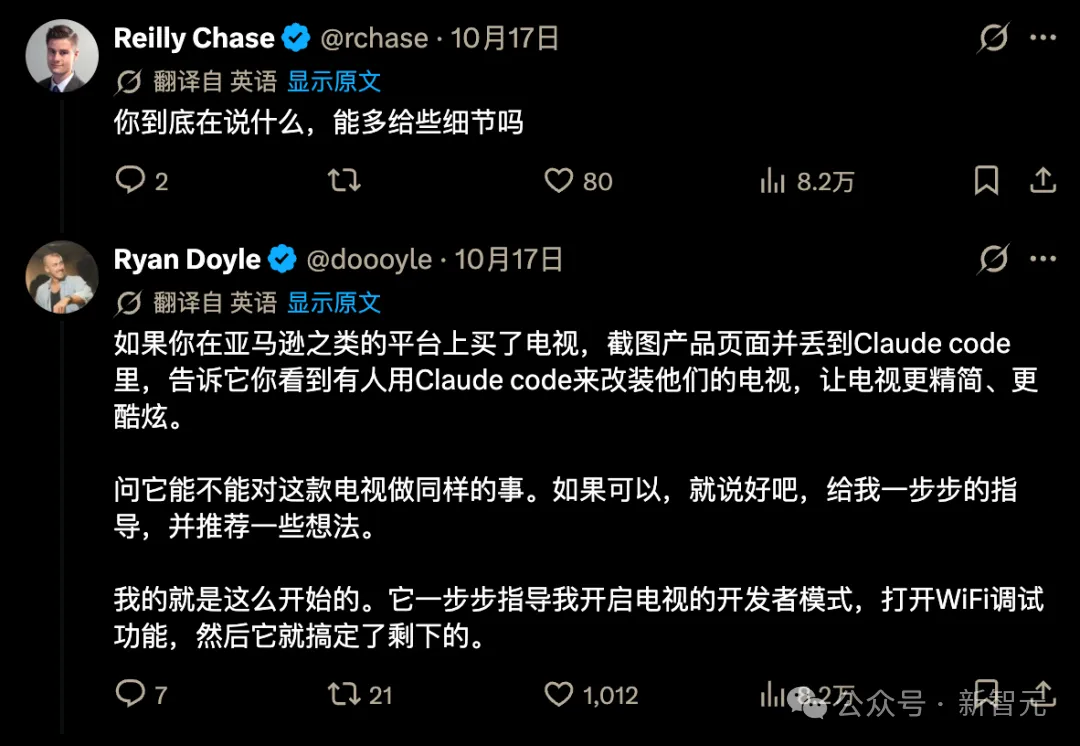
既不用 root,也不用刷機,這套老掉牙的辦法在 XDA 論壇上都躺了快十年了。
而且這老哥也不是頭一個幹這事的人,早在 8 月底,就有個叫 Mert Cobanov 的 AI 工程師讓 Claude 給自家那台用了四年的老電視做了套瘦身,弄完比剛買回來那會兒還絲滑,人家當時就把完整的提示詞貼網上了,誰都能複製,改錯了隨時還能退回來。
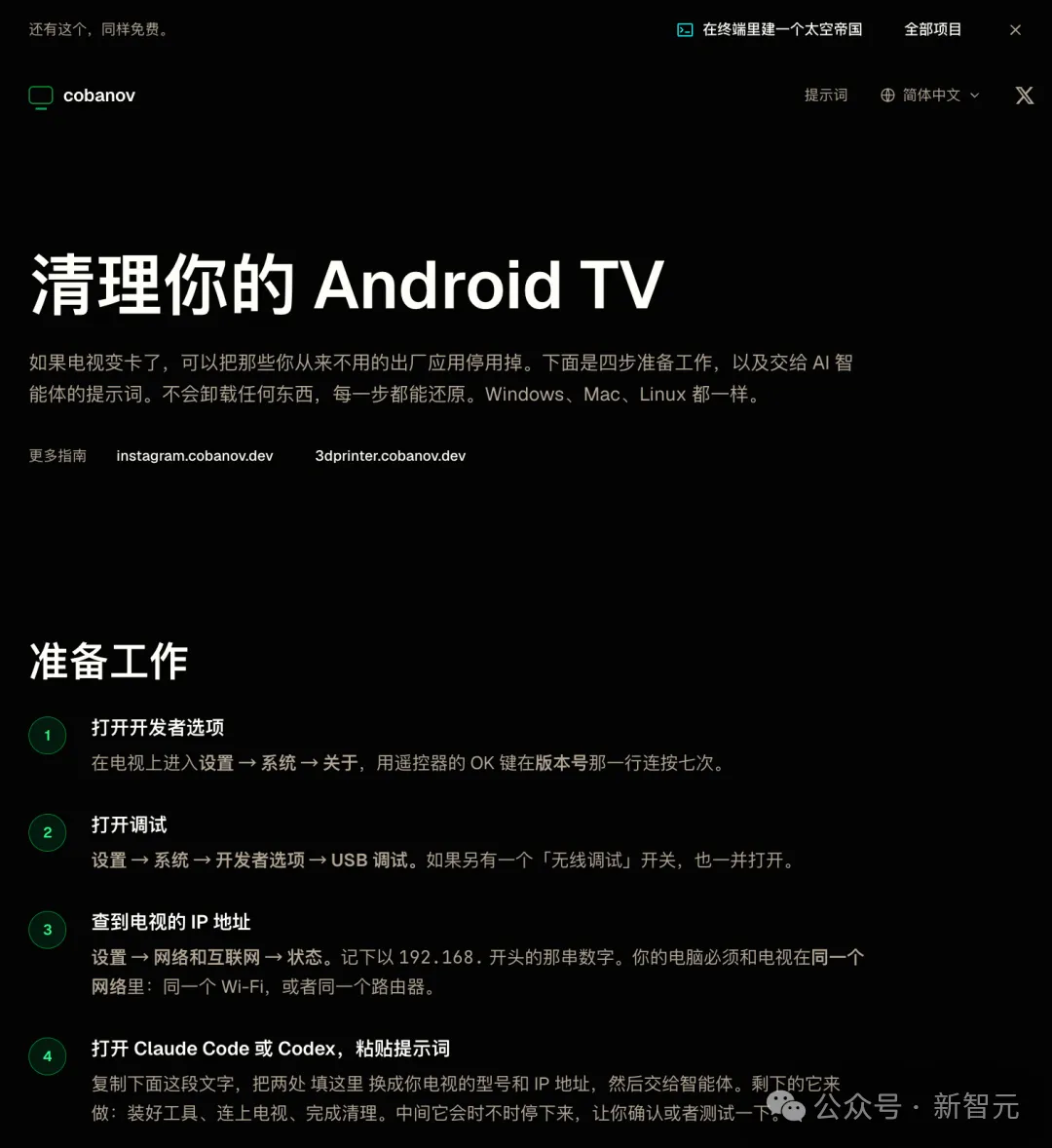
提示詞:
I want you to clean up my AndroidTV over ADB. The goal: get rid of the ad andrecommendation rows, disable the factory apps I never use, and make the TVfaster. Run the commands yourself and explain what you are doing in plainlanguage as you go.
MYTV-Make/ model: FILLTHISIN            (example: TCLSmartTVPro)-TV's IP address: FILLTHISIN         (TV>Settings>Network& internet >Status)-"Developer options" and "USB debugging / Wireless debugging" are already on.My computer and the TV are on the same network.
RULES- follow these exactly1. DONOTUNINSTALLANYTHING. Use only `pm disable-user --user 0`, so every   change can be undone with `pm enable <package>`. `pm uninstall` is forbidden.2. Do not suggest or attempt rooting, unlocking the bootloader, or flashing a   custom ROM. That factory-resets the TV, and if the Widevine certificate   drops from L1 to L3Netflix falls back to SD. Thereis nothing to gain.3. MEASUREFIRST. Before you start, capture `dumpsys meminfo`,   `pm list packages -s` and `pm list packages -d` to a file. Repeat the same   measurements at the end and give me a before/after table.4. WORKINSMALLBATCHES. Disable at most 10 packages at a time, then STOP and   have me test: does the remote's "Inputs / Source" button still work, can Iswitch to HDMI, doNetflix and YouTube still open, do sound and the on-screen   keyboard still work?Do not move to the next batch until I say it is fine.5. NEVERDISABLETHEFOLLOWING (these make the TV unusable):      com.tcl.suspension          -> the Inputs/Source menu on the remote.The name looks like junk but disabling it                                     means you can no longer switch to HDMI.If your TVis a different brand, find that                                     brand's equivalent "quick panel"package.      com.tcl.ttvs                -> system updates (Network/USB). The name                                     suggests a text-to-speech service, but                                     disabling it makes every option in the                                     system update menu silently stop working.      com.tcl.tv, com.tcl.tvinput -> HDMI/ antenna input services      com.google.android.tv.remote.service,      com.tcl.tcl_bt_rcu_service,      com.tcl.autopair            -> the remote control      com.google.android.gms,      com.google.android.gsf,      com.android.vending         -> PlayServices and the PlayStore      com.android.location.fused  -> disabling it sends the TV into a boot loop*.inputmethod.*             -> the on-screen keyboard      com.google.android.apps.tv.launcherx                                  -> the home screen. Disabling it before an                                     alternative launcher is installed leaves                                     you with a black screen.For other brands, find the equivalents of this list. If you are not sure   what a package does, ask me before disabling it.6. KEEPARECORD. Write every package you disable to `disabled.txt` inside   a `tv-debloat` folder. Keep a `DEBLOAT-LOG.md` in the same folder describing   what you did, why, and the exact command to undo each change.7. If something breaks, re-enable the last batch first, then narrow it down onepackage at a time.
DOITINTHISORDERa) Check whether `adb` is installed and install it if not. Check which   operating system I am on and pick the right route: on Windows downloadGoogle's platform-tools package and add it to PATH, on macOS   `brew install android-platform-tools`, on Linux `apt install adb`. Then   connect with `adb connect <IP>:5555`. TheTV will show an "Allow debugging   from this computer?" dialog, tell me so I can approve it. OnAndroid11 and   above, if the TV asks for a pairing code on its "Wireless debugging" screen,   use `adb pair` first.b) Take the measurements and list the packages.c) Sort the packages into three groups and show me a table: (1) definitely junk:   unused streaming apps, demos, screensavers, voice assistants, setup wizards,   telemetry; (2) depends on me: ask whether I actually use them; (3) untouchable.Get my approval and start with group 1.d) Halve the animation speeds:      settings put global window_animation_scale 0.5      settings put global transition_animation_scale 0.5      settings put global animator_duration_scale 0.5e) Clear caches with `pm trim-caches 999G`.f) Reboot the TV and take the measurements again.
REPLACETHEHOMESCREENGoogleTV's own home screen is full of ads and "recommended for you" rows. Iwant to use FLauncher instead (it is on the PlayStore, free, open source, andshows nothing but a grid of my apps).-First ask me to install FLauncher and confirm that it is installed.-Have me openFLauncher once and set it as the home screen.-Only then disable `com.google.android.apps.tv.launcherx`.-Reboot the TV and confirm the home screen is still FLauncher.
WHENYOUAREDONE, GIVEME1. The before/after RAM table.2. The list of packages you disabled, each with a one-line "what this was".3. A single command that undoes everything.
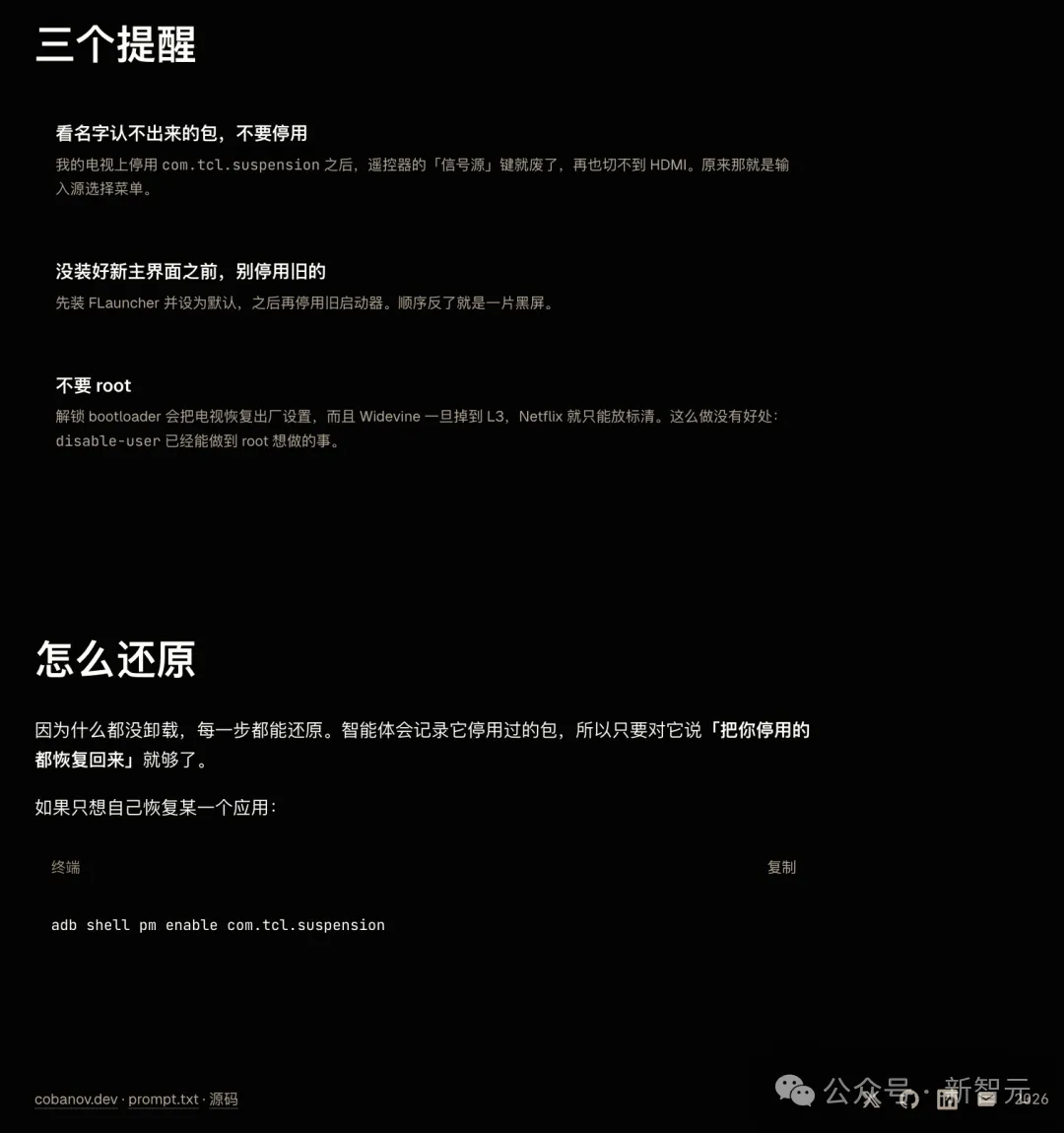
你看,十年了,技術根本沒變,變的是動手的人。
以前那扇門其實一直也沒上鎖,只不過門口掛了塊牌子,上面寫著「懂命令列者入內」,普通人瞅一眼覺得頭大,掉頭就走了。
現在 Claude 干的事兒,就是直接把這破牌子給摘了,手把手領著人進門,臨了還順嘴問一句:
牆上空著也是空著,要不要順便掛塊即時收入看板?
可你反過來想,為什麼現在的電視出廠非得塞那麼多垃圾?
因為賣電視這門生意,硬體壓根就不掙錢。
你去翻翻 Roku 2025 年的帳本,全年營收 47.4 億美元,裡頭 87% 全是靠廣告和分成撐起來的,光算賣硬體,毛利率是倒貼的 -14%,一年下來賣硬體毛虧 8200 萬美金。

它每賣出一台裝置都在賠本賺吆喝,圖啥?圖的就是電視搬進客廳以後,沙發上盯著螢幕看的那雙眼睛。
這就好比一家飯館白送你一桌飯菜,但人家裝了一屋子竊聽器,指望從客人吃飯時的閒聊八卦裡把錢掙回來。
另一家大廠 Vizio 幹得更早。
按德州一份起訴書裡扒出來的底褲,早在 2021 年,Vizio 靠賣 ACR 資料掙的利潤就已經超過賣電視本身了。
2024 年沃爾瑪掏了 23 億美元把 Vizio 買下來,看上的也不是那幾塊螢幕,純粹是奔著背後的廣告生意去的。
這個叫 ACR 的玩意兒,說人話就是「自動內容識別」,只要電視開著,它就在後台一刻不停地給螢幕畫面生成指紋、往伺服器回傳。
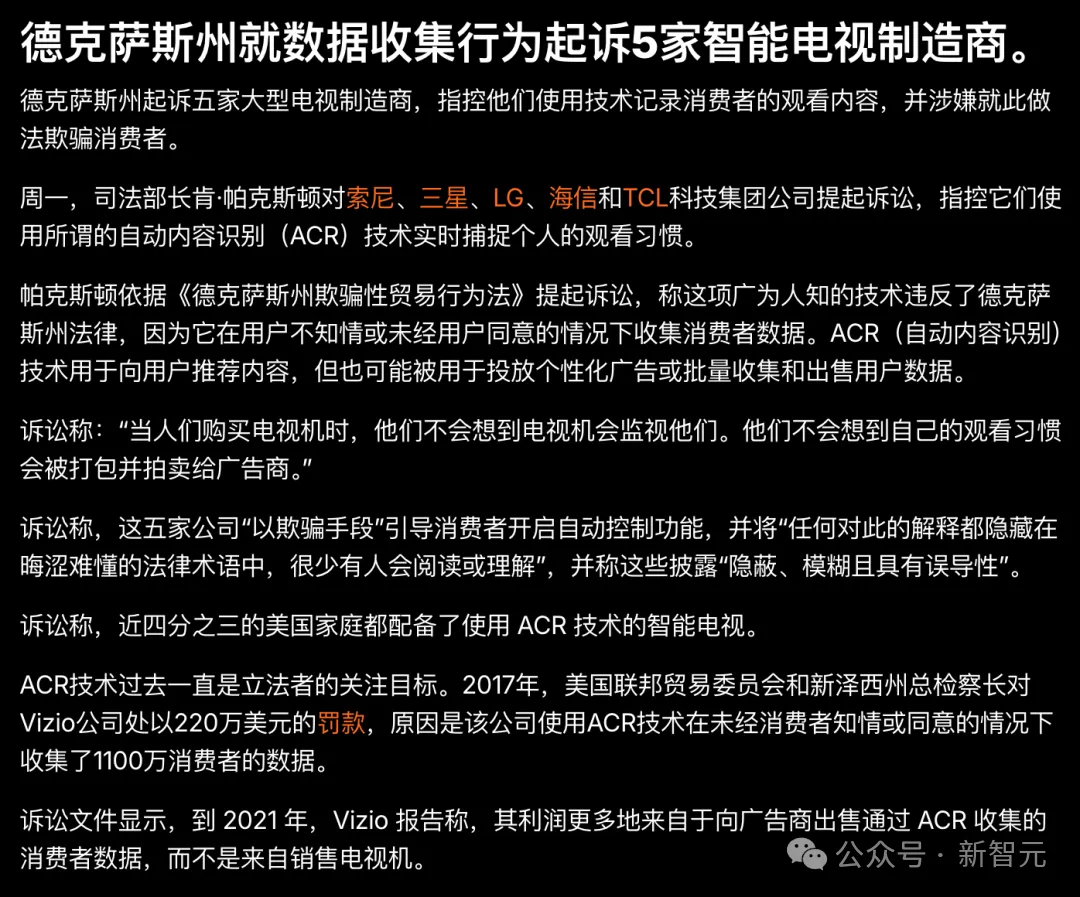
按起訴書裡的說法,不管是家裡的門鈴攝影機、手機投屏,還是插根 HDMI 線連上的筆記型電腦,全在它的採集名單裡。
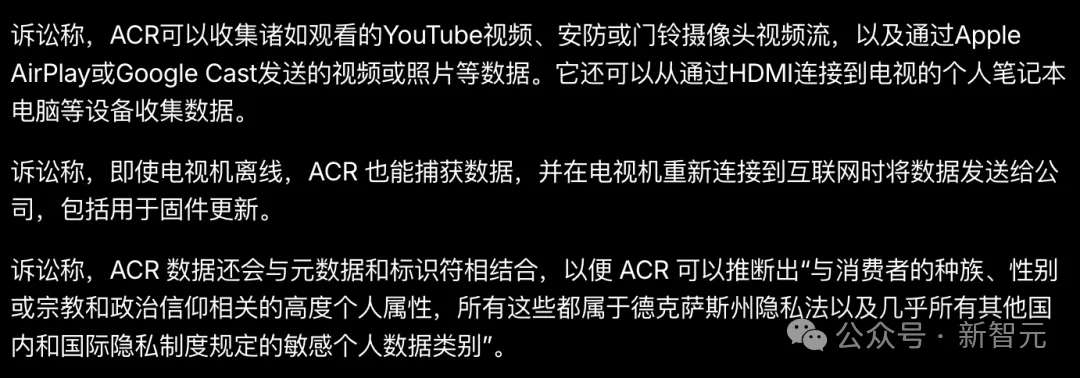
最損的是,拔了網線它也在本地照記不誤,只要一聯網立馬打包補傳回去。
2025 年 12 月,德州總檢察長實在忍不了了,一口氣把三星、LG、索尼、海信、TCL 全告上了法庭,三星和 LG 扛不住先後認慫和解,答應以後彈窗告知,再給個關閉的選項。
說白了,買電視的人滿心歡喜以為自己是顧客,其實在廠商眼裡,看電視的人才是這台電視真正的商品。
「無知稅」
這種生意的暴利,全藏在使用者「其實做得到」和「壓根不知道怎麼做」那道縫兒裡。
你想想看,印表機墨盒上非要加個晶片、買輛車座椅加熱還得按月交錢訂閱、手機裡塞滿死活解除安裝不掉的預裝全家桶,全是在這道縫兒裡躺著收錢,說難聽點,這就叫「無知稅」。
以前廠商為何有恃無恐?
因為他們從來不怕個別人折騰,真有動手能力和極客精神的小孩滿打滿算才幾個啊,永遠是少數。
但 AI 動的偏偏就是這個比例。
現在去廣告那還用得著研究什麼程式碼,一段現成的提示詞甩過去就完事,超 200 萬人看過了那條推文,這個周末在家照著扒電視皮的人肯定少不了。
別的地方也一樣,前陣子還有個開發者,硬是讓 Claude 給一台只支援 Windows 的惠普冷門老印表機,憑空寫出了一個蘋果 macOS 能用的驅動。
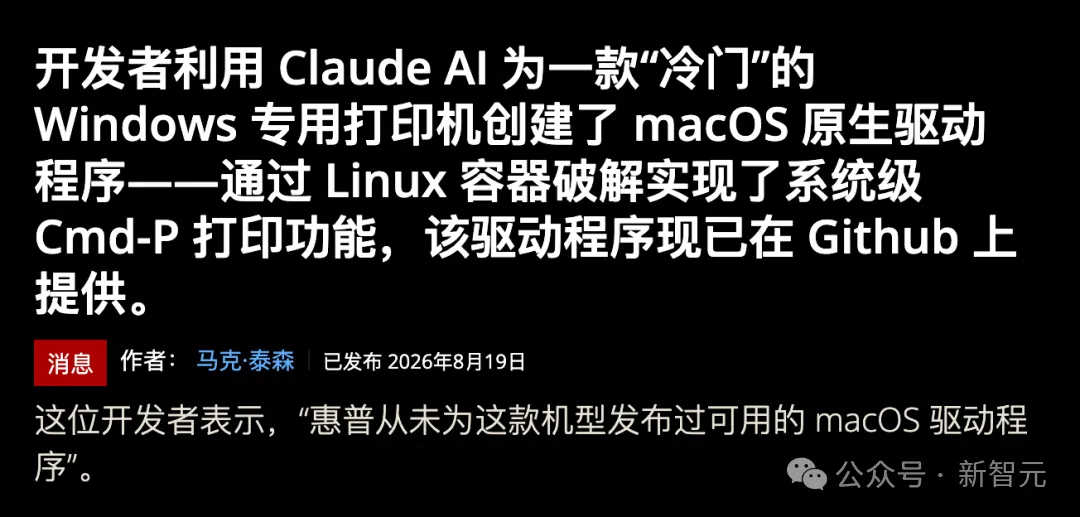
一旦中間這道縫兒被填平了,廠商這筆躺賺的無知稅,以後就徹底收不上來了。
鎖只會越來越緊
不過你也別覺得大廠會就這麼認栽,往後那把鎖肯定只會越擰越緊。
亞馬遜已經動手了,9 月底剛發的新款電視棒 Fire TV Stick 4K,直接換成了自家的 Vega OS,把使用者自己裝第三方軟體的側載功能徹底砍了,賣點居然是比上一代快了 20% 到 40%。

這不逗嗎?本來把那堆垃圾刪乾淨就能變流暢的事兒,現在倒好,得靠換一個使用者啥也刪不了的系統來解決。
Google那邊也在偷偷收口子,新規矩要求,要想裝個未經驗證開發者的應用,得先開開發者模式、重啟、再像坐牢一樣硬等 24 小時。
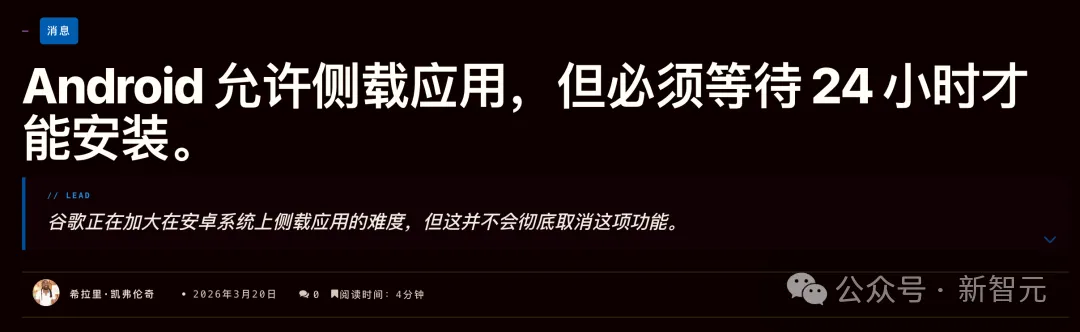
目前唯一不受限制的活口就是通過 ADB 安裝,因為Google默認只有真正的開發者才會用 ADB。
結果 Claude Code 這一出,直接讓Google這個默認失效了。
你看著吧,ADB 多半就是下一個被收緊的地方——以後新機出廠直接鎖死開發者模式,或者逼你繫結帳號、搞限時開放;
再往後,ACR 乾脆直接沉到晶片和底層韌體裡,就算把外面的應用全刪光了也照樣刪不掉它。
鬧到最後,電視市場大機率會劃分成兩檔:便宜的電視出廠鎖死、老老實實帶廣告;想要乾淨的電視,另外加錢。
短期看肯定是廠商佔上風,畢竟 Claude 能陪著人開 ADB,但它再牛也破不了底層的韌體簽名(嗎?)。
可話說回來,大廠把鎖擰得越緊,「花錢買乾淨」就越像一門擺在檯面上的正經生意,一台電視真實的價格到底是多少,遲早得被逼著擺上檯面。
但這裡頭還有個最耐人尋味的事兒——這台電視今天能老老實實替主人幹活,是因為 Claude 今天還在替主人幹活。
可這個前提,真的一點都不牢靠。
你看 OpenAI 今年 1 月份就已經宣佈在 ChatGPT 裡測試廣告了,到了 9 月,亞馬遜的廣告平台也正式接進了 ChatGPT 的廣告位。
當時 Anthropic 還在超級碗投了一組廣告,話裡話外就是 AI 裡要有廣告了,但 Claude 裡絕對不會有,氣得奧特曼公開出來罵它「明顯不誠實」。
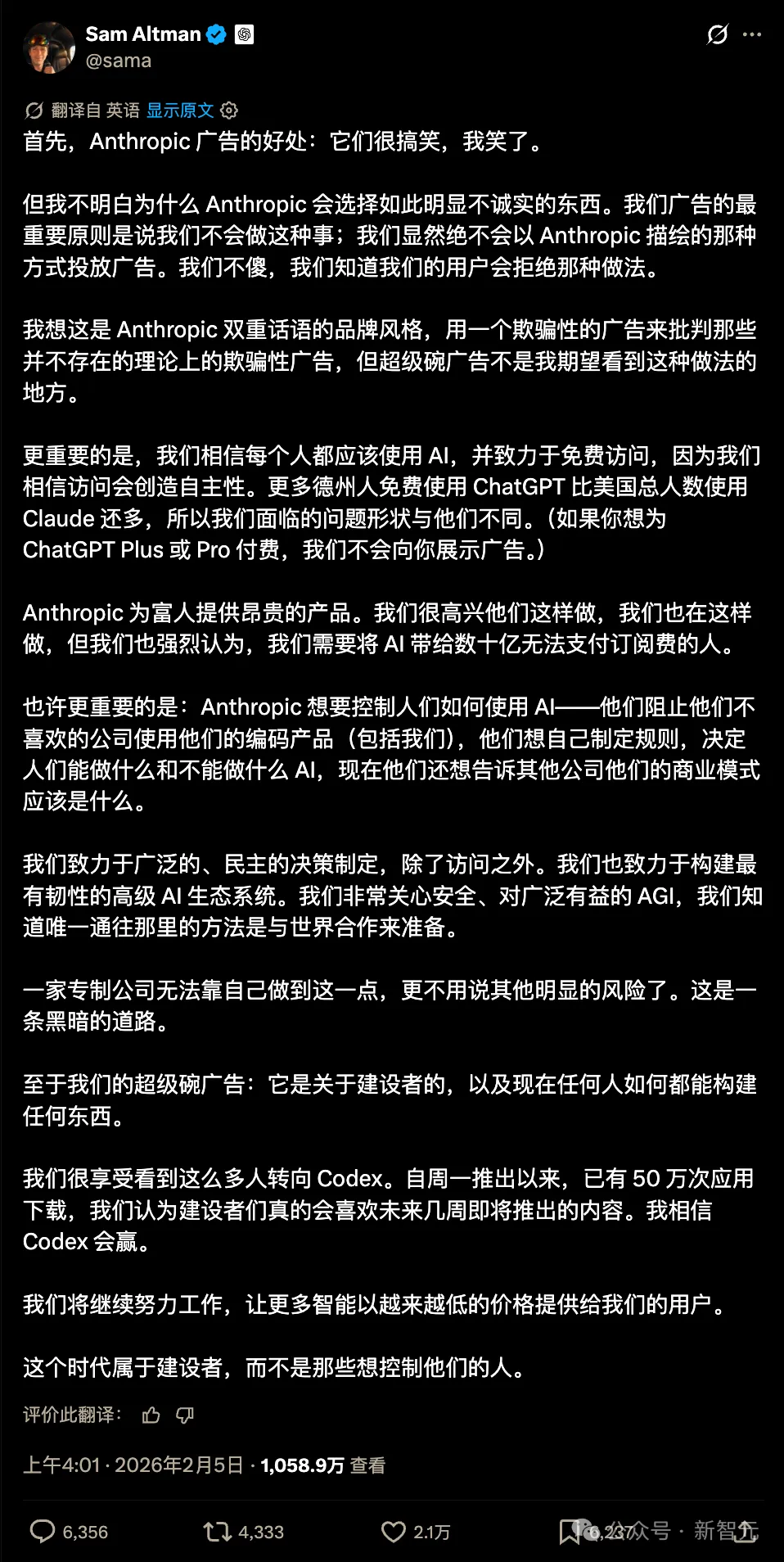
這回 Claude 幫人幹掉電視廣告,簡直就是給當年那組超級碗廣告免費拍了部續集。
問題是,天價的算力和電費總得有人掏錢吧?
等往後 Agent 真的開始替人逛網頁、比價格、挑節目的時候,廣告商傻了才會去買客廳那塊螢幕,人家要買的,是 Agent 在替你做選擇時的那一點點偏向。
這就是為什麼 AI 必須握在自己手裡,為什麼必須有本地 AI。
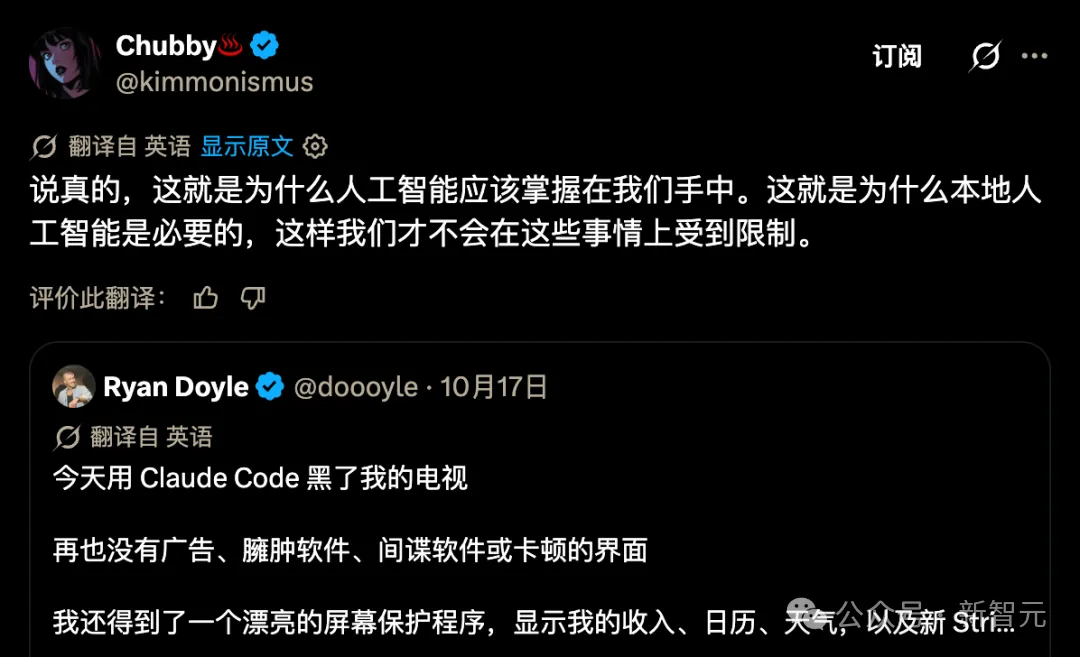
翻遍整個評論區,數這句話最清醒。
你想啊,好不容易把家裡喋喋不休的推銷員給趕出去了,轉頭進門的是一個更聰明的管家。
管家到底替誰說話,全看誰給他付工錢。
眼下付錢的是使用者自己,每個月 20 美元起。
至於以後嘛,那可就真難說了。 (新智元)